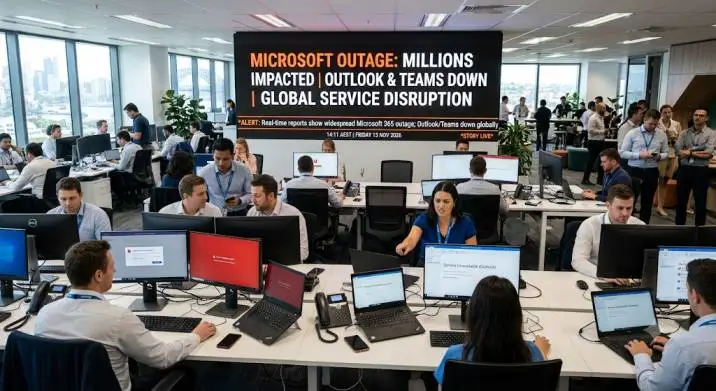
Microsoft Outage Hits Millions as Outlook and Teams Go Down
A massive Microsoft outage is still disrupting Outlook, Teams, and other Microsoft 365 services across the globe today, November 13, 2026. The problems began on Thursday afternoon US time and have dragged into a second day.
Microsoft says the issue stems from servers unexpectedly going offline, not from a traffic spike or a cyberattack. Recovery efforts are ongoing, but the company admits its fixes are not progressing as planned.
If you are searching for Microsoft outlook outage today news, here is the full picture of what happened, what is still broken, and what you should do.
What Exactly Is Down?

The outage hit services that depend on Exchange Online, Microsoft’s cloud email platform. That means email, calendar, and contacts are the hardest hit.
Read Also: 2026 US Election Results Live: Democrats Flip House Majority in Major Midterm Shift
Outlook is the most visible casualty. Users cannot sign in, send emails, or access their mailboxes across web, desktop, and mobile apps .
Microsoft Teams is partially affected. Chat and online meetings may still work for some users, but calendar features and meeting scheduling are unreliable. Search functionality inside Teams has also been reported as broken.
Microsoft 365 Copilot is down for many. The AI assistant cannot retrieve email or calendar information, which makes it largely useless during this outage.
SharePoint Online has partial feature issues. Some elements that do not rely on Exchange Online remain functional, but connected workflows are disrupted.
How Many People Are Affected?
The numbers are staggering. Downdetector, which tracks outage reports, recorded a peak of over 130,000 reports of Outlook problems in the US alone. At one point, Outlook-related complaints exceeded 138,000.
You Must Also Like: PHP Security Vulnerabilities: A Comprehensive Blueprint for Identification and Prevention
The outage spread globally within an hour. Reports came in from the US, Europe, Asia, and Africa. In India, Australia, and Japan, users reported significant disruptions. Singapore alone logged 250 Outlook reports and 152 Microsoft 365 reports in a single morning window.
The impact reached government level. Australia’s Home Affairs and Cyber Security Minister confirmed the outage affected government agencies.
The US House of Representatives said its users were impacted and engineers were coordinating with Microsoft. Japan’s government confirmed its GSS digital infrastructure was also hit.
What Caused the Outage?
Microsoft’s explanation has evolved as the incident unfolded.
The company initially said it was investigating connectivity issues in the Americas. It later confirmed the problem could affect Microsoft 365 users in any region.
The root cause, according to Microsoft’s service health updates, is servers unexpectedly becoming unavailable. That placed heavy load on the remaining infrastructure.
The overloaded servers then became overwhelmed by the processes required to establish secure communication, causing them to stop accepting requests.
Microsoft explicitly stated this was not driven by a traffic increase. The company also said there is no indication of a cyberattack.
Australian authorities echoed this, saying Microsoft believed the issue was similar to a bad update going awry, not malicious activity.
Why Is Recovery Taking So Long?
This is the frustrating part. Microsoft restored some servers, but those servers became unresponsive again once they started receiving traffic. The company is now trying to gradually resume services by restricting communication to servers in certain areas to reduce load.
In its latest update, Microsoft admitted that “efforts to improve serviceability were not progressing as expected” and that it was “identifying alternate workstreams” to increase capacity.
There is no confirmed restoration time. Microsoft’s next scheduled update is Friday, November 13 at 5:30 AM GMT+7.
What You Should Do Right Now?
The worst thing you can do is try to fix this on your end. The problem is Microsoft’s, not yours.
Do not reset your password. Multiple accounts failing at once points to a service incident, not a credential problem. Resetting could lock you out of other services for no reason.
Do not reinstall apps or change network settings. Teams and Office 365 failing together means the issue is upstream. Local troubleshooting will not help and may make things worse.
Check your organization’s service health. If you use a work account, ask your IT admin to check the Microsoft 365 admin center under Health > Service health. The incident IDs to reference are EX1550543 (Exchange Online) and MO1550821 (Microsoft 365 connectivity).
Use the public status page if you cannot access the admin center. Go to Microsoft’s public service health status page. It works even when admin tools are down.
Wait for the green status. Microsoft advises waiting until the incident status shows “Service restored” before trying to sign in again.
The Wider Impact
This is not just an inconvenience. Businesses lost a full workday. OpenAI reported that its Microsoft connectors were broken, affecting tools that rely on Microsoft 365 integration. Anthropic said an upstream provider issue affected its Microsoft 365 connector.
Workhorse Group, an electric truck maker, postponed its quarterly earnings report because of the disruption.
The outage also triggered secondary reports of issues at AWS and Google Cloud. Both companies clarified that their own services were running normally. The access problems users experienced were knock-on effects from the Microsoft disruption, not internal outages.
The Final Thoughts
The Microsoft outlook outage today news is not a quick fix. Servers that come back online are crashing again under load. Microsoft has no firm timeline for full restoration. The company is working on alternate strategies, but the situation remains unstable.
If you need to send critical emails today, use an alternative account or platform. Do not waste time troubleshooting your device. This is a Microsoft-side incident. Monitor the official status page. Wait for the all-clear. Then sign back in and catch up on everything you missed.